A new role with associated functionality: The Employee
This release contains all the features the employee will have access to:
- Time and absence reporting is available to employees in the Briox app, no need for the company to subscribe to the Grow package.
- Employee Payslips are delivered to the app automatically. A notification informs when new payslips are available. (FI)
- Scanning to the payroll folder of linked documents keeps payroll documents separate and private.
In addition to this, the payroll administrator is able to:
- Set up employees in Briox by simply synchronising the employee registry from Palkkaus.fi to the Briox user registry. (FI)
- Tailor their workflow with each client and receive all information digitally and in real time:
- Scanned expenses are delivered in an organised manner
- Approved time and expense reports
- Detailed time reports per employee
- Time to customer invoicing integration
- Real time overview of the reports sent to the income registry (see below)
In addition to this you will be able to monitor in real time the payroll data that has automatically been reported to the income registry.
Read more about:
-
- Synchronising the employee registry to Briox
- Employee user rights
- Read more about time and absence reporting in the app on our website
- Read more about Time and Expenses in the help
Further app developments
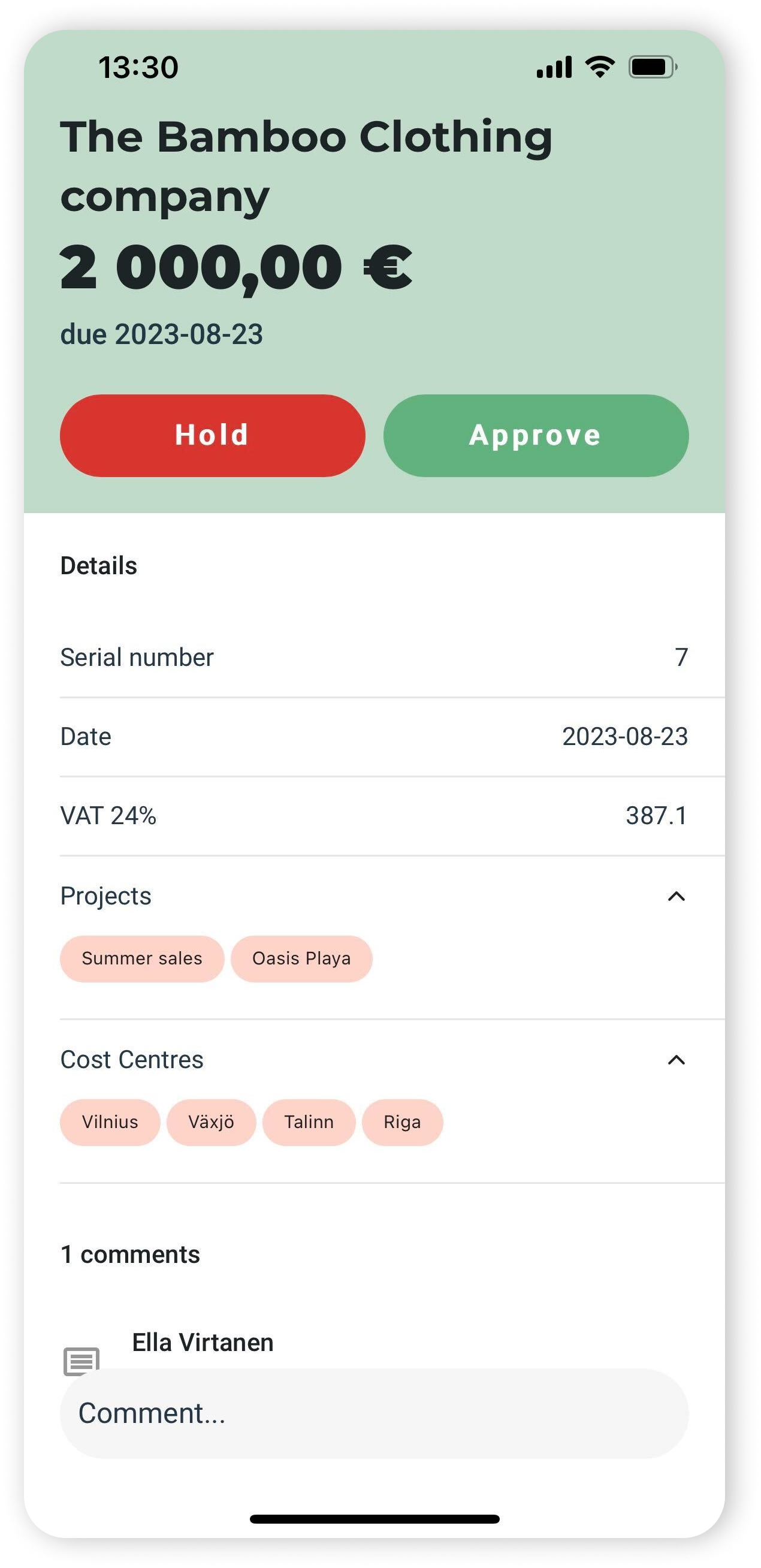
- When used, cost centres and projects are listed on supplier invoices in the app in the approval views.
- When selected, expense categories become document names again and
- Linked Accounts can automatically generate the prompt for a comment
Read more about:
Further payroll developments (FI)
Follow up on what has been sent to the Income Registry in real time.
After a payment has been made, Palkkaus.fi waits for 5 days incase of a change, and then sends the earnings report to the income registry.
- The earnings payment reports displays every payslip sent and
- The employer's separate report is a total monthly report.
- Internal memos and attachments can be added to the employee card in Palkkaus.fi
Read more about Payroll in Briox
Improvements to the journal import
- Inactive accounts can be activated automatically if there are balances to import
- All error messages come at once when running the journal import
Read more about the journal importBanking
The Bank transaction identifier is now displayed in the account statement view as well as in the incoming payment list.
This unique reference number will allow you to easily identify each transaction with your bank.
Read more about Banking and the account statement.