Briox Platform
Introducing the Briox Income Tax Return Generator!
We are pleased to announce the launch of the Briox Income Tax Return Generator, featuring Form 6B along with its main annexes.
With this new tool, companies can now seamlessly submit their income tax declarations online directly from Briox to the tax authorities using the Apitamo PKI interface, the same used for the VAT report submissions.
You can access the Income Tax Return generator in the main menu under : Reports > Income Tax Returns. If you do not see this option, please ensure you have the required user rights to work with the tax returns.
Read more about income tax returns in Briox.
Other features:
-
Improved search in the journal list using autocomplete.
- All Imports are now gathered under one import section in the main menu
-
The EC sales list report now also displays the customer name and currency of the report.
-
You can now update customer address information and invoice text fields even when an unpaid invoice is included in a VAT report or has been accrued.
Read more about changing a posted customer invoice.
Briox app
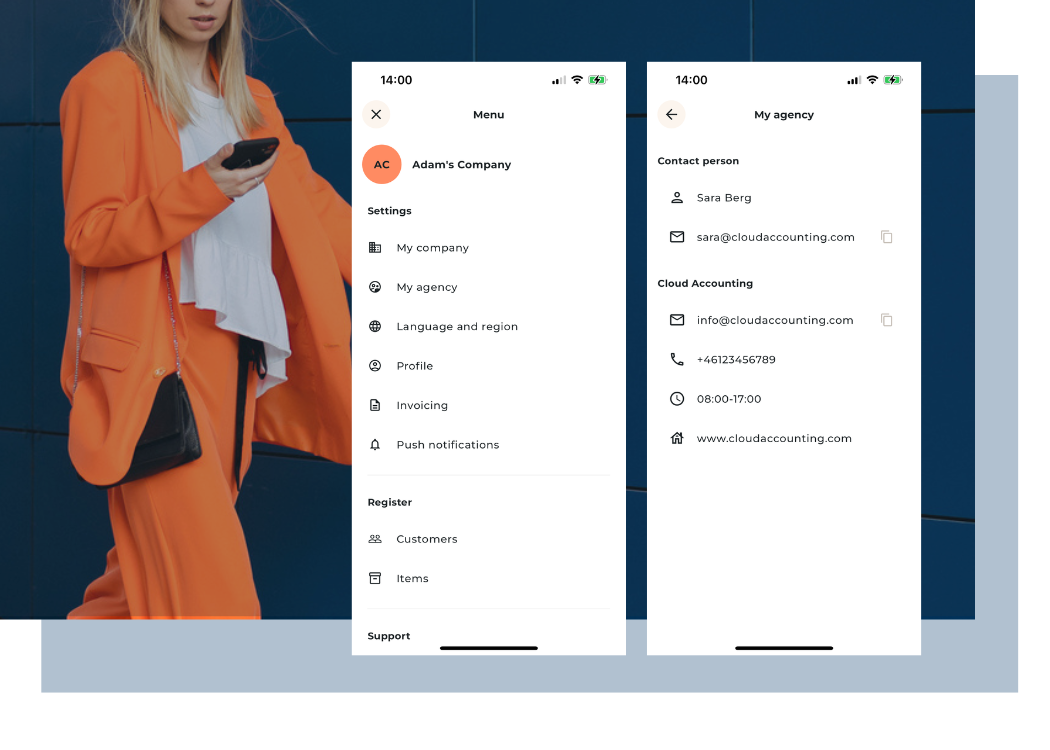
We've also introduced some new features to Briox app in order to enhance the experience. Here’s a quick look at what's new:
- Send invoices to print service - You can now choose the option to send customer invoices directly to print service.
- Agency and accountant contact visibility - In the app, it is now possible to display contact details to the company's accounting agency and/or accountant. See how to set up
- Password reset - Added the ability to reset your password directly within the app.
- Performance improvements - Minor adjustments and bug fixes to enhance overall performance and stability.
Additionally, as previously communicated, the functionality for approvals and submitting receipts via the "Briox Time" app has been discontinued. This is done to enable full focus on the development and maintenance of these functionalities in the new app.