You can copy an existing customer invoice in two different ways:
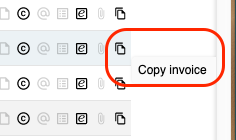
- Directly from the customer invoice list: Click on the “double sheet of paper icon” at the far right of the row.
- If you click yourself into the detailed view of a customer invoice, you find Copy in the action bar at the bottom of your screen.

A pop up window will appear asking if you want to copy this invoice. Click on OK.
The new invoice is created identical to the one you copied, except for a new invoice number and today’s date. Make any necessary changes and click on Save or Post.
Have more questions? Submit a request