VAT Calculator
When you make a manual journal entry that involves VAT, you don't have to remember which VAT account, VAT type or rate apply to each situation. The VAT calculator does the work for you — enter the gross amount, pick the scenario, and Briox inserts the correct VAT rows directly under the row you're working on, with the right accounts, debit/credit sides, and amounts pre-filled.
Briox also checks the VAT codes are correct and updates the Gross amount to net.
Read more about the VAT calculator.
Banking and payments
Open Banking: New banks being piloted (FI)
- Säästöpankki
- OmaSP
- Alisa
- S-Pankki
- Revolut
- Holvi
Salary payments via Open Banking (FI)
Payroll payments can now be sent directly through the connected bank using Open Payments. Individual salary payments are tracked throughout the payment flow and automatically marked as paid once confirmed by the bank.
Activity log for payment methods
To improve traceability and auditability, all changes to payment methods are now logged in the activity log, including:
- creation
- edits
- activation/deactivation
- card additions/removals
Project tracking is now visible in the journal edit view in Banking
The Project tracking field is now shown in the journal header when editing vouchers in the Banking modal, aligning the view with the standard journal edit experience.
Receipt automation
Save as drafts or post automatically from incoming documents
Users can now choose how fully matched receipts from Incoming documents should be handled:
- No automation (default)
- Save as drafts
- Post automatically
Automation is only triggered for full matches. Receipts with partial matches or no matches continue to require manual handling.
To ensure large transactions are always reviewed manually, a high-value safeguard blocks automatic drafting and posting.
A new automation setting has been added under:
Settings - Accounting - Automation for Incoming Documents
Automatic processing of journal matches in Banking
Bank transactions can now be automatically reconciled when Briox finds a perfect match against:
- an existing journal
- a draft
- or a template
Automation can be enabled separately for each source type. Transactions that are not exact matches still require user review.
A new automation setting has been added under: Settings - Accounting - Automation for Banking
Read also about automation for for customer and supplier invoices in banking.
Highlight tolerated differences in matched bank transactions
As we allow matching journals, drafts and templates with a tolerated difference on amount, we now clearly highlight this difference on matched transactions in Banking so that small differences never slip through unnoticed and create unexplained gaps in your accounts.
Household e-invoices (SE)
Briox e-invoices via Crediflow now carry the household tax-deduction (ROT/RUT & Green deductions) fields as required: the tax authority's portion is sent as a Prepaid Amount, so the e-invoice shows the customer only what they owe after the deduction.
Rest invoices (when Skatteverket rejects a deduction) correctly bill the customer for the full amount. A household note is added to the invoice free-text field explaining the deduction.
This enables compliant electronic invoicing for household services in Sweden.
User Rights and Roles
We have ve improved user access rights and role management in Briox. Administrators can now:
- assign role templates to existing users
- create role templates from existing user access rights
- copy access rights from one user to another
- add translations to custom role templates
Note that this is not yet supported in the Briox predefined role templates.
These improvements make it easier to standardise user setups and give users the correct access with less manual work.
Read more about giving users access rights.
Read more about role templates.
Incoming documents
Dedicated account for own expenses
Accountants can now configure a dedicated account for booking clients’ own expenses under Settings - Briox App - Expense categories
When a receipt is uploaded from the Briox app, accounting rows are now built directly from the data the app user provided — payment method, category, and the input VAT, according to the default accounts — rather than relying on the interpretation robot. The robot is only consulted as a fallback.
Read more about Expense categories and Adding cards to your payment methods
Improved document navigation in Incoming documents
Users can now move through the various incoming document tabs with open image, using First/Previous/Next/Last navigation without returning to the document list.
Users also see their current position in the filtered list (for example “3 of 12”).
After processing a document, the view automatically:
- advances to the next document after Save/Post
- the Back to list button, returns you to the list with the preserved filters and sorting
- the Navigation respects the user’s selected sorting order when moving to the next document
Grid view in Incoming documents
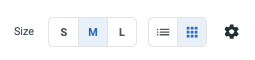
Incoming documents now supports a new grid view alongside the traditional list view.
The thumbnail-based layout makes it easier to recognise and process receipts visually instead of scanning text rows.
Additional improvements include:
- app metadata displayed directly on each card
- click the image to open the coding view
- automatic routing to journal or supplier invoice views
The grid view is enabled by default on the Other tab.
Preview documents as you work
Hover preview thumbnails for PDFs and images
Users can now preview attached PDFs and images directly by hovering over the attachment icon.
The preview opens in a movable popover with:
- PDF or image thumbnails
- click-to-pin behaviour
- click outside to close
- remembered position after dragging
The feature is now available in:
- Banking → Reconcile
- Incoming documents
- Archive
- Supplier invoice list
The Report Generator
The old Financial statements generator has been removed and we wish to redirect you to the Report generator also available under Reports - Report Generator.
Integrations
Fortnox Migration Tool is in Beta (SE)
Customers in Sweden can now migrate from Fortnox using a self-service wizard available under:
Accounting → Import → Migrate from Fortnox
The migration supports two methods: a direct API connection to Fortnox, or manual upload of SIE4 and CSV exports.
- The API connection carries out a bulk import of the all the data, for all your financial years in the correct sequence or for the specific year selected.
- When using the manual import, you must import one financial year at a time.
The imports include the following:
- chart of accounts
- cost centers
- projects
- opening balances
- journals
- suppliers
- items
- customer register
- linked documents (journal attachments)
- company information (API only)
A summary page provides an overview of the imported data after completion.
Note: Customer and supplier invoices are currently not included in the migration scope.
Lerry.ai integration (SE)
Briox can now be accessed directly from Lerry.ai.
Lerry automatically extracts SIE data, enabling accounting agencies to run the audit engine across all their Briox clients more efficiently.