The activity log can be found under the Reports main menu on the left hand side of your screen. In the log you see when and who has done what in the program.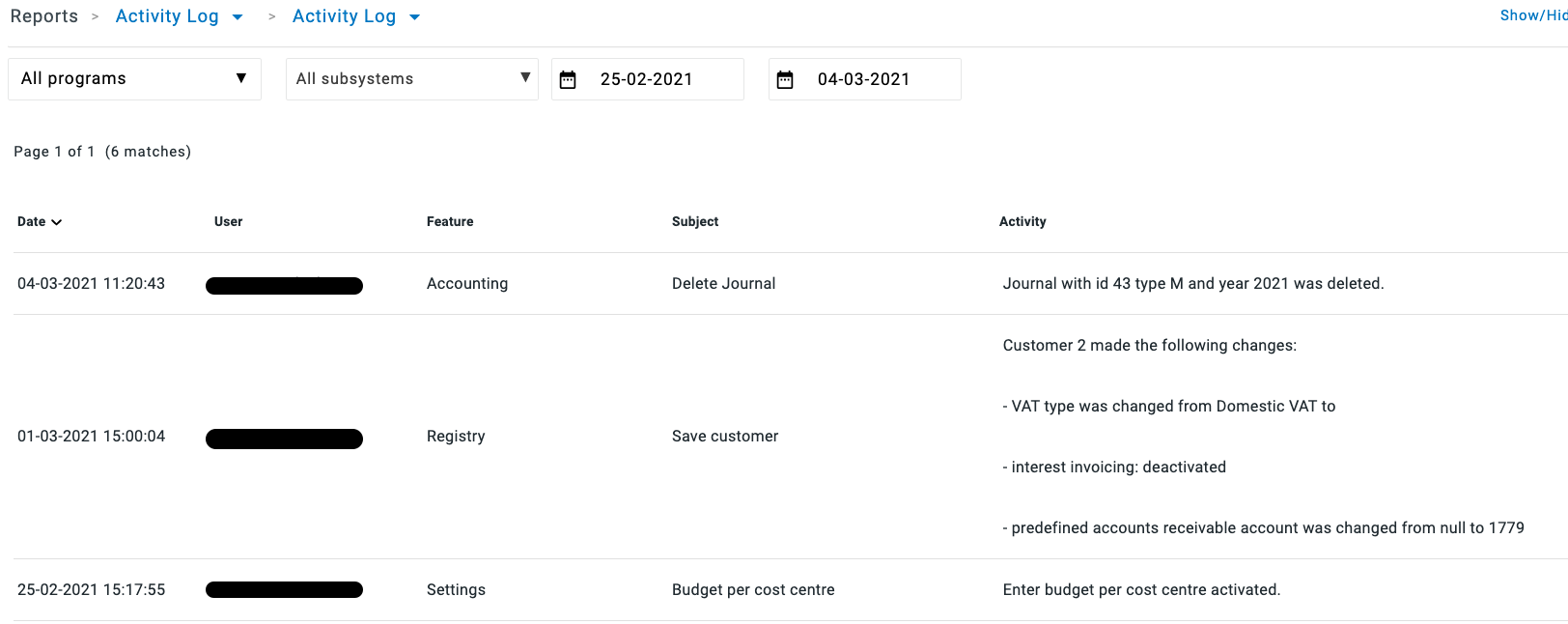
If you cannot see the log, make sure you have the access right to it. You find them under Accounting - Reports.
Note: Only a systems administrator or an application administrator for Accounting can grant access rights.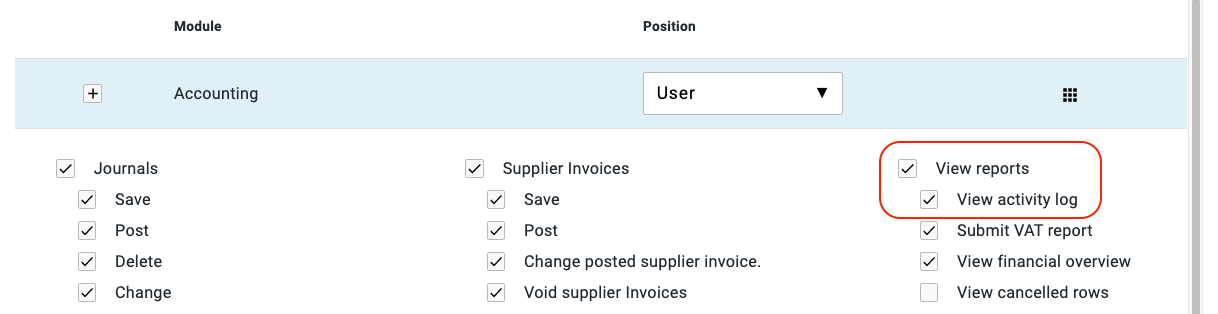
In the Log, you can choose to view events:
- within a specific date range
- for a specific program
- or for a specific part of a program
- use the various columns of the log to sort the information
- Date
- User
- Feature
- Subject
- activity
Once you have done your search, you can print the Log. Select HTML or PDF & click Print at the bottom right hand side of your screen.
Have more questions? Submit a request