To be able to use the prepayment functionality you need to make sure you have at least a prepayment account set up under:
- Registry - Charts of Accounts - Default Accounts
Add the default account of your choice in the section for Accruals and Prepayments.
If you only use this account it will be a general account for all you customers.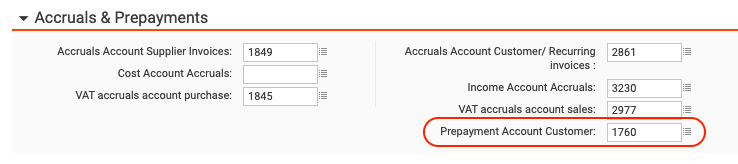
- You can also set up a default account on you customer under Registry - Customer - Additional Information
Here you have the possibility to set up a prepayment account for one specific customer instead of using a general one as above.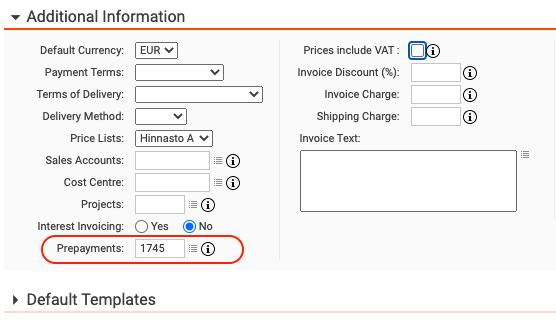
Note: Prepayments are tracked via payments, or part thereof, being booked to a prepayment default account.
Warning: If you have a balance for a certain customer on a prepayments account and you change the account, the balance will be lost and you will loose all tracking of all previous prepayments made for your customer.
Read here how to transfer a balance booked on one pre-payment account to another.
Have more questions? Submit a request